


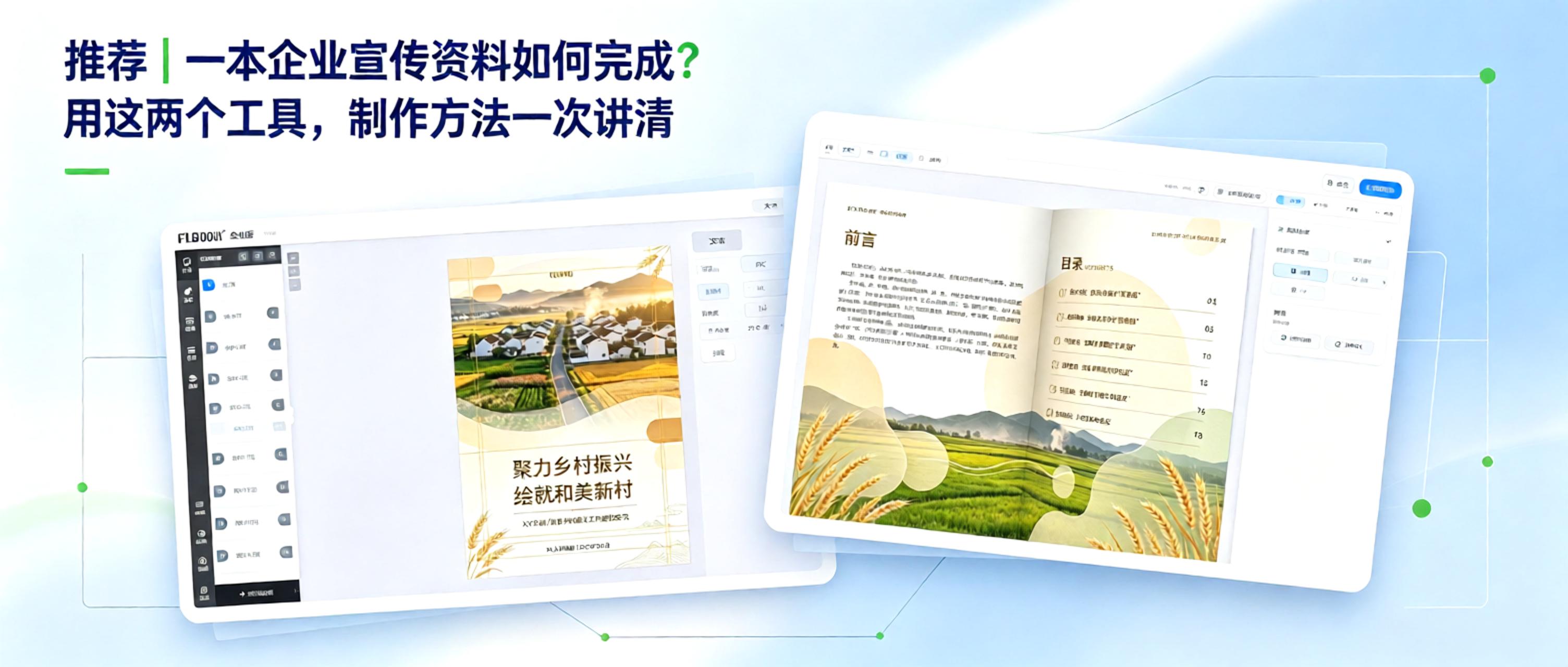
From Concept to Finished Product: How to Create Corporate Promotional Materials?
Creating corporate promotional materials comes down to solving two key questions:
1. How to organize content efficiently
2. How to present the finished product professionally
With free, practical tools, even those without design experience can complete the entire process from polished layout to professional presentation
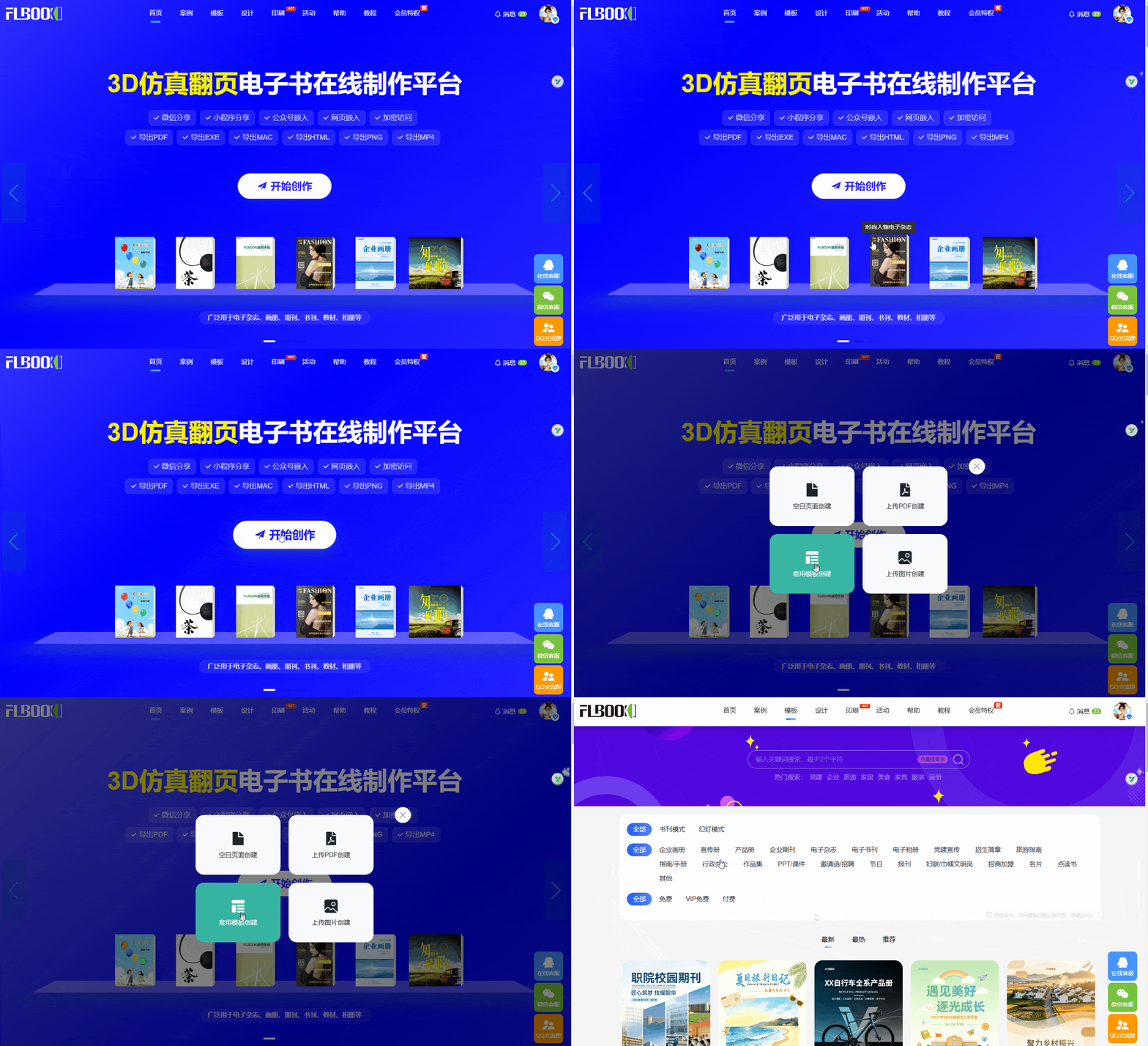
Path 1: Generate Online Quickly——FLBOOK
Official website for creating corporate brochures online. Four easy creation methods: use a template, design on a blank page, upload a PDF, or upload images. If you are not a designer, you can use a template as a reference.
How to:
-
Log in to the FLBOOK official website and register an account
-
Find a professional corporate brochure in the Template Center
-
Import your company’s materials or images
-
After publishing, generate a link or QR code and send it to customers
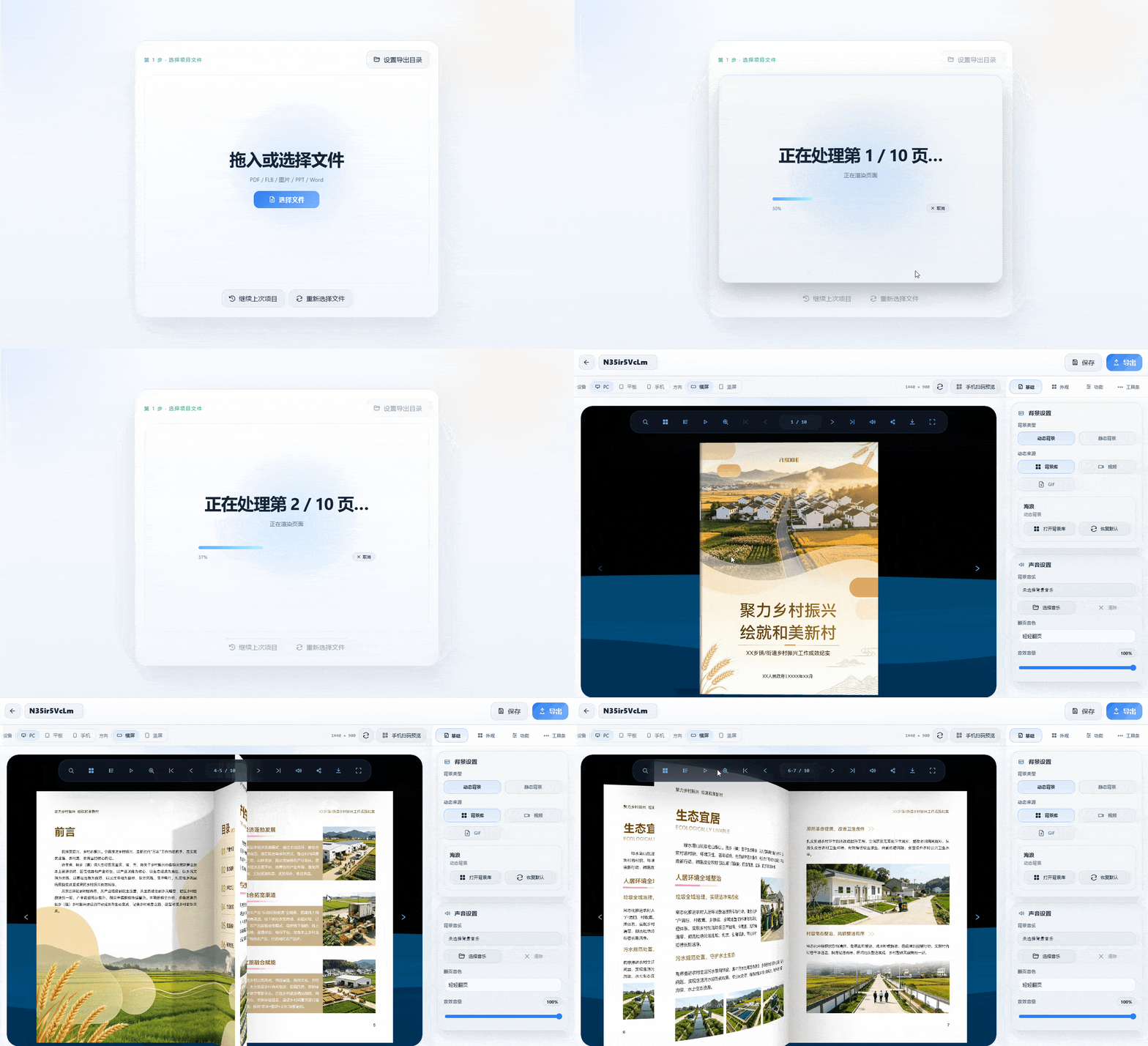
Path 2: Local, Detailed Production—MW3D Flipbook Maker
For greater design freedom and data security, consider using this desktop software
How it works:
-
Download and install MW3D Flipbook Maker
-
Import PDFs, Office documents, or images
-
Set page-turn effects, backgrounds, and brand logos
-
Choose an output format (HTML, EXE, MP4, APK, etc.)
-
Ready to use after export
Follow the MW software official account to get the tool