


After making brochures for years, you accumulate a batch of tiny tools on your computer that you can't do without.
It's not that PS and AI aren't great — it's just that you really need a convenient, smart little tool for everyday tasks.
After a busy stretch, I finally had some downtime and sorted out a few brochure-making tools — the ones I find most handy in my work.
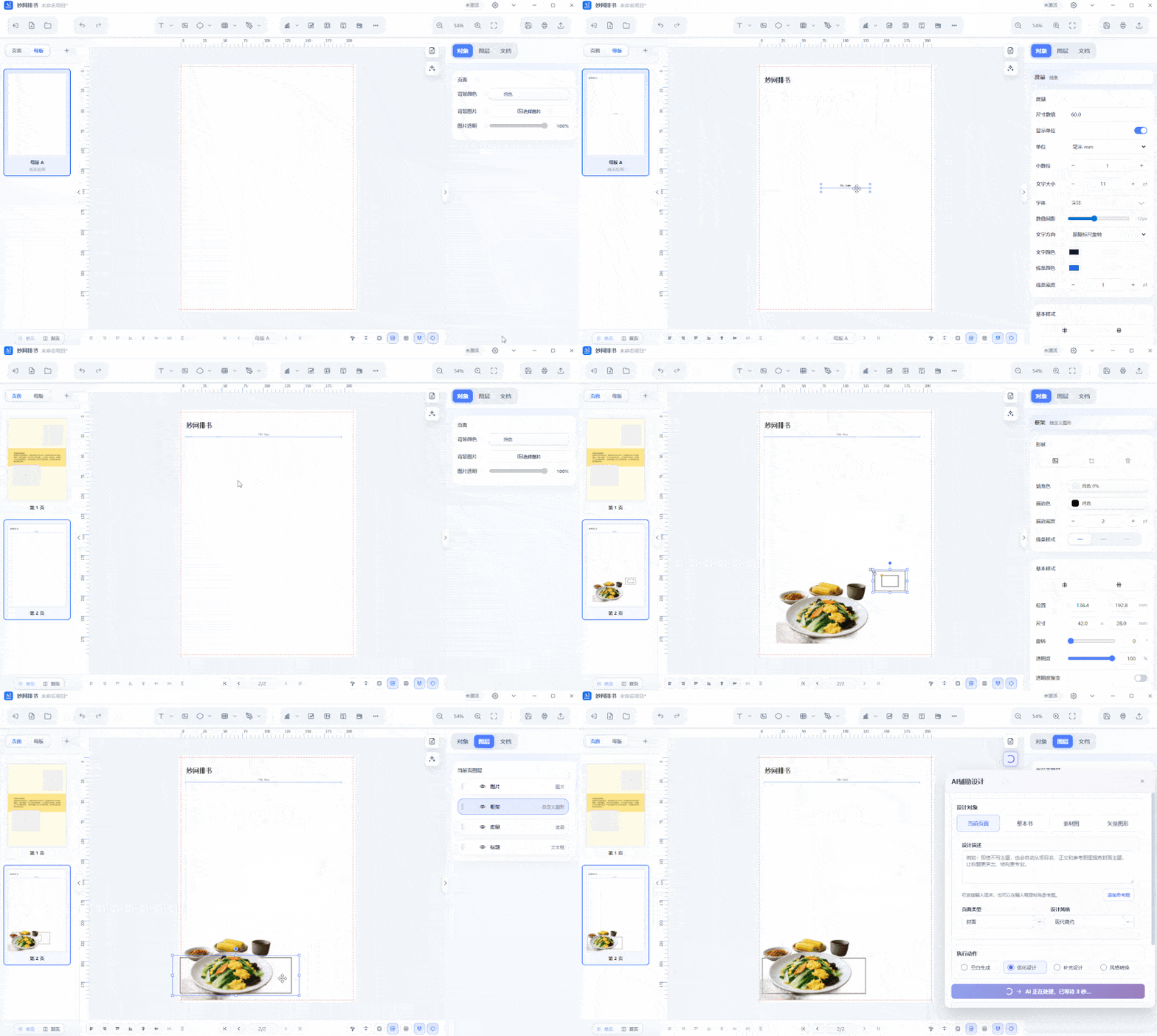
01 Typesetting: MW Typesetting
The most annoying part of a brochure isn't the design — it's the layout.
For a product brochure of dozens of pages, manually aligning page numbers, table of contents, spreads, and bleed areas page by page tires your eyes and is easy to get wrong. MW Typesetting targets exactly this kind of repetitive work: one-click page numbers, AI-assisted design, and checks and alerts for spreads and bleed areas. You can also set up master templates, saving frequently used elements like logos, titles, and backgrounds to add to every page.
Ideal for brochures with many pages and a structured layout, such as product catalogs, corporate brochures, sample books, and portfolios.
How to get it:https://soft.mwkj.net/sites/mwpaishu/
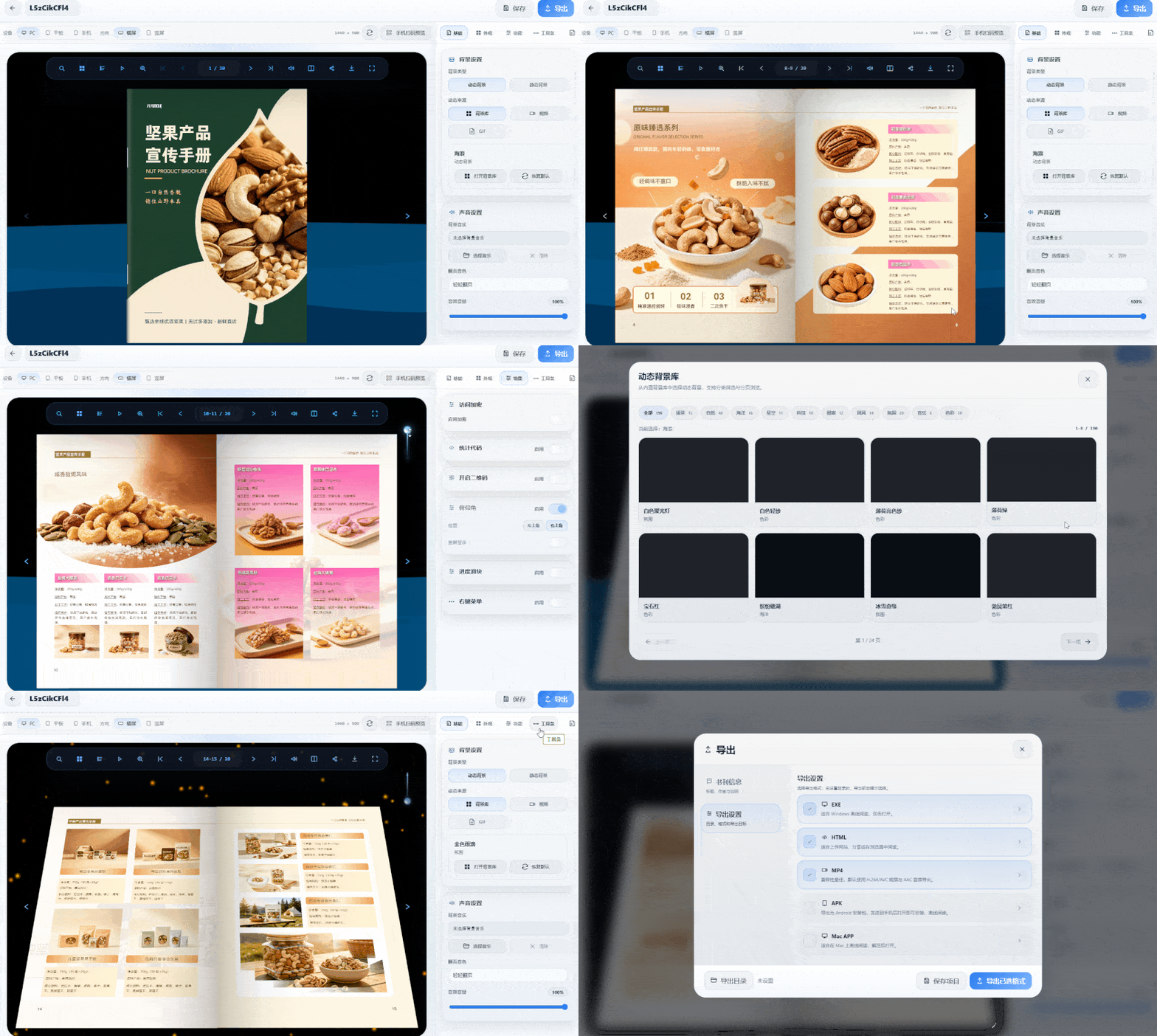
02 Make Your PDF Turn Pages: MW3D page-flipping ebook software
Printing a paper brochure is one thing; sending it to clients to view is another.
Sending a PDF directly means the recipient has to zoom in and out and drag around on their phone — a mediocre experience. MW3D page-flipping ebook software does something very straightforward: import a PDF or Word file and generate an ebook with a 3D page-turning effect. Pages curve like paper, and you can even add page-turning sounds. In slideshow mode, you can also set a loading page for turning pages.
I usually use it for two things: preview versions for clients, and online brochures displayed at trade shows and on the official website.
How to get it:https://soft.mwkj.net/sites/mw3dbook/
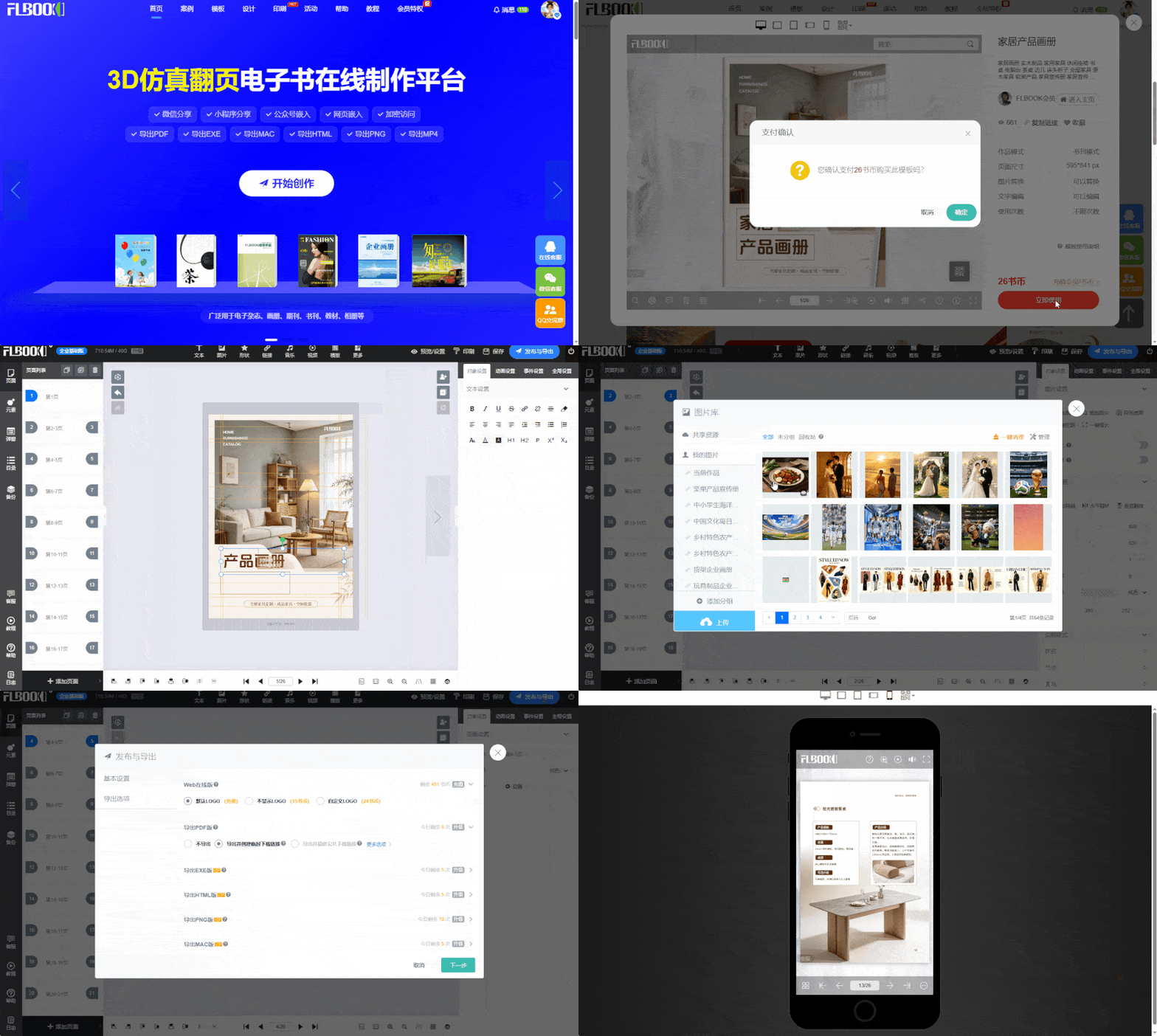
03 Do It All in the Browser: FLBOOK
FLBOOK is an online platform—no software needed. Just open your browser and start creating H5 brochures.
The benefits are plenty of templates and a quick learning curve. You can upload a PDF and it automatically converts into a flipbook, or build one yourself from a blank template. When you're done, you get a link and QR code—clients can scan to view, and the dashboard shows data like views and time spent.
How to get it:https://flbook.com.cn/
04 More stable local processing: EBook Master
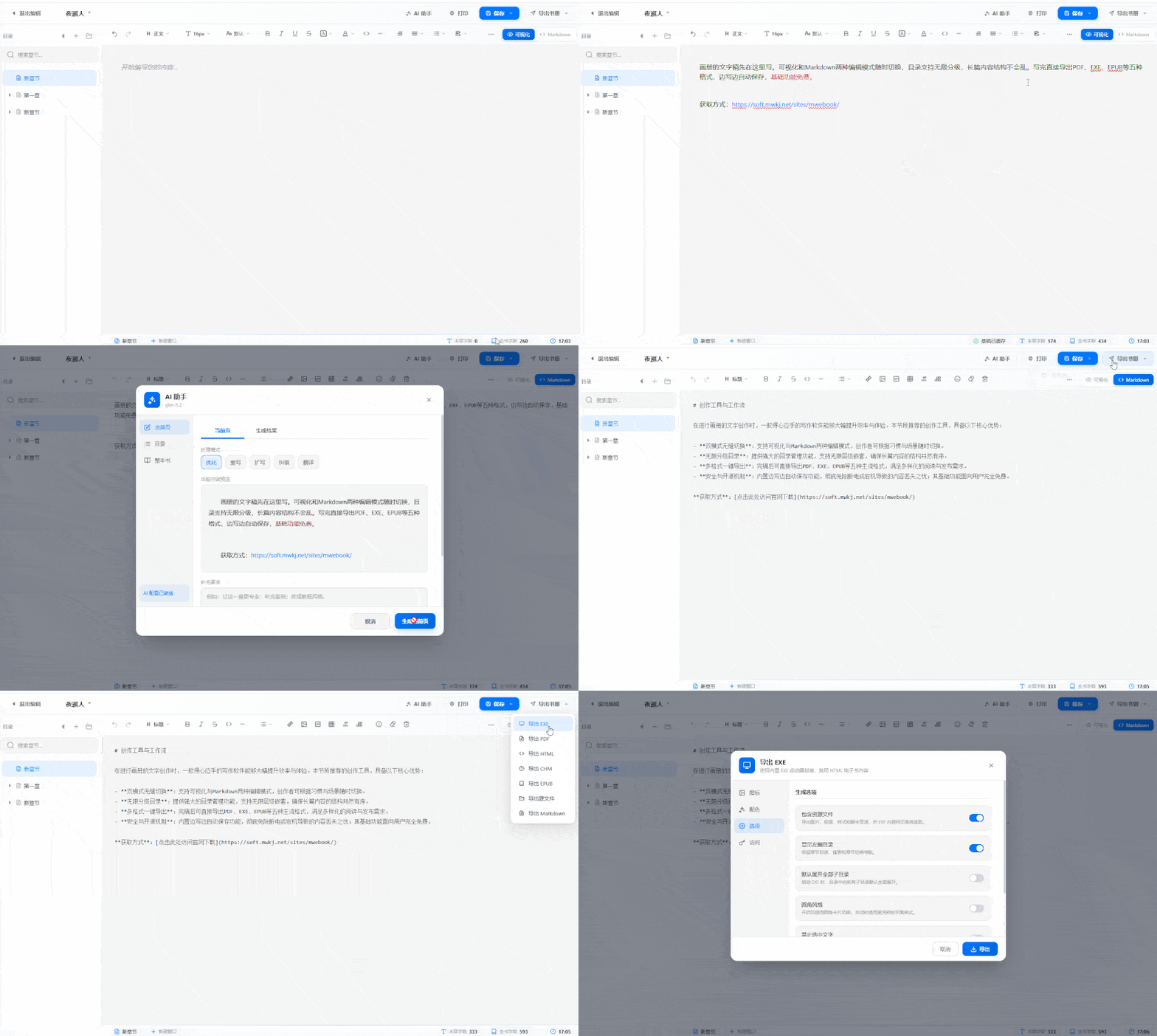
Draft your album text here. Switch between visual and Markdown editing modes anytime; the table of contents supports unlimited nesting, so long content stays well structured. When done, export directly to five formats including PDF, EXE, and EPUB. Auto-saves as you write, with basic features free.
How to get it:https://soft.mwkj.net/sites/mwebook/
05 After delivery: MW Bookshelf
Finishing a brochure isn't the end.
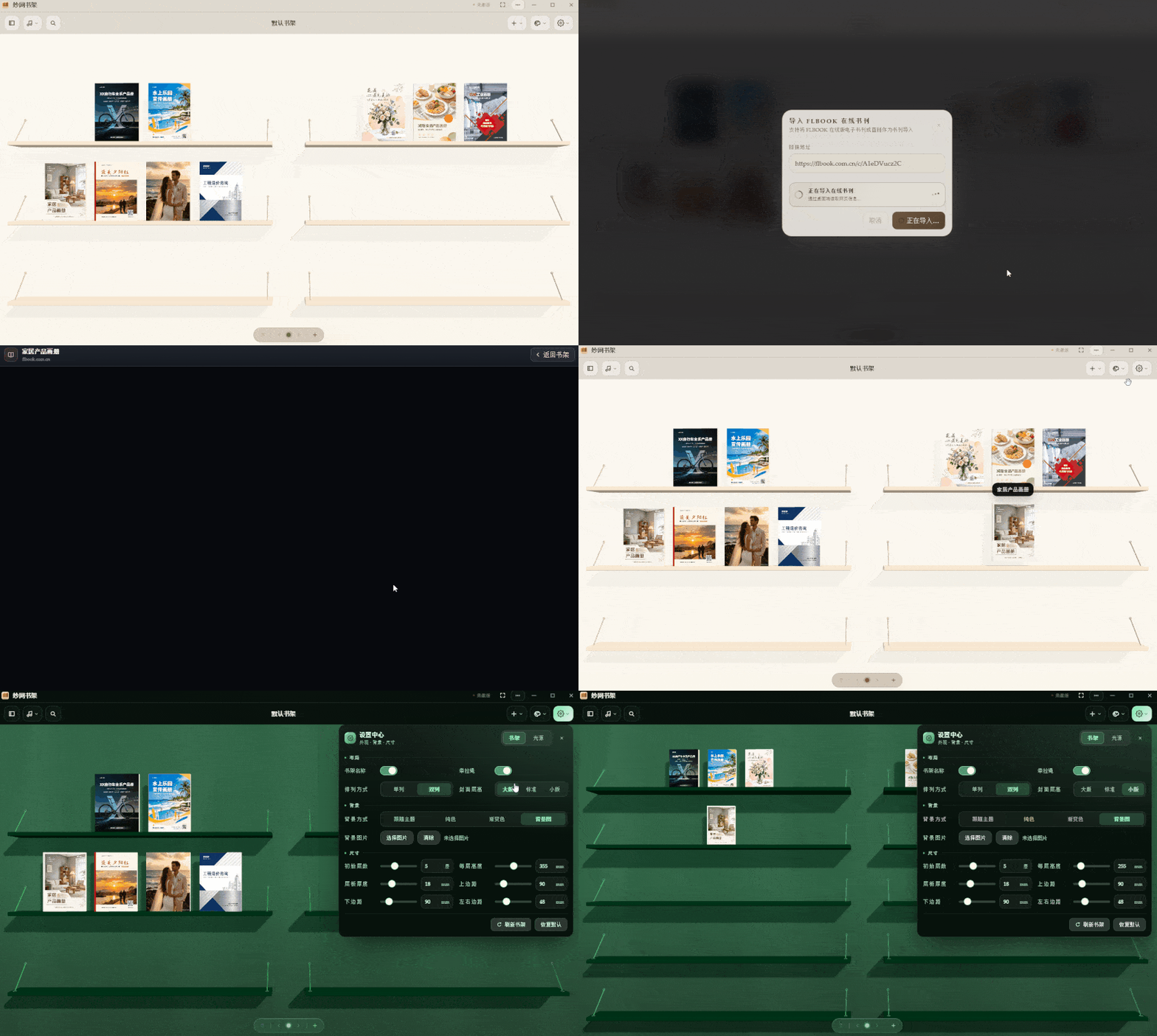
A client often has several at once: product book, case book, investment book. The MW Bookshelf puts these ebooks into one bookshelf with a unified entry. Send one link, and they can see everything—no digging through chat history for links.
For building resource libraries for dealers or sales teams, this is quite convenient.
How to get it:https://soft.mwkj.net/sites/mwbookshelf
In the album design business, you don't need many tools—just a few that feel right. I've used this list for years without switching.