


I work at an e-magazine publisher. Over the years, I have tried many tools, from foreign to domestic, free to paid. In the end, these four domestic software programs remain on my computer. Why did I choose them?
On one hand, they are truly user-friendly, covering needs from online sharing to professional publishing. On the other hand, pricing is reasonable, with most basic features available for free, which is sufficient for individuals or small teams. If you need long-term production and want to unlock more professional features, upgrading to a membership is also affordable. Today, based on my personal experience, I will share with you

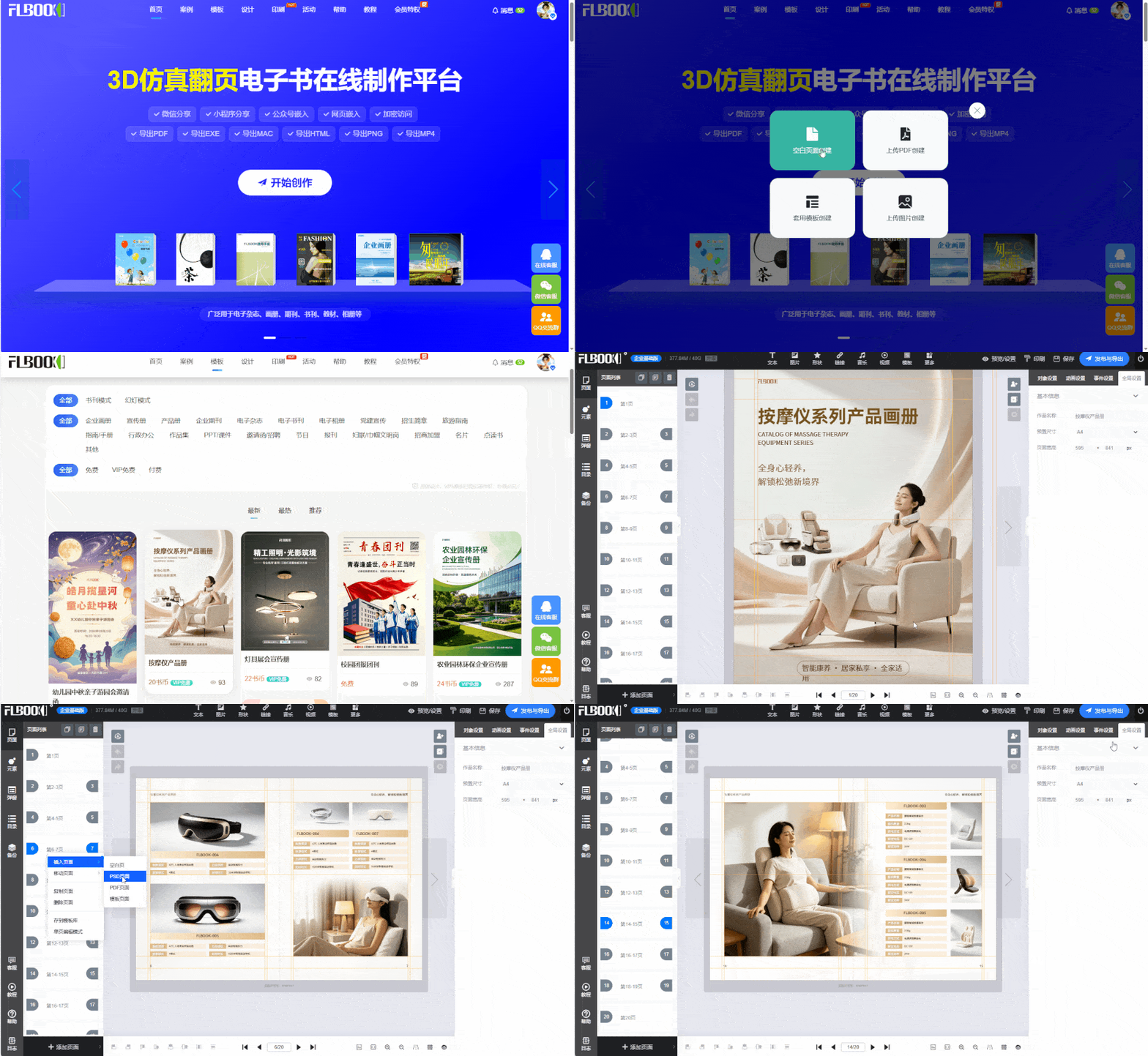
1. FLBOOK —— Online H5 Album
Tool Type: Web
Easy to Use: Template application + drag-and-drop editing + PSD/PDF upload + free design on blank pages, quick to learn
Online Sharing: Generate links and QR codes, share directly on WeChat and Moments
Page-turning mode: behaves differently on different screens—vertical orientation feels more tactile with up/down page turns, while horizontal orientation feels more like turning real book pages; unfolded foldable devices offer a near-tablet experience with more comfortable page-turning effects
Always up to date: edit content online, and customers see the new version upon refresh
Pricing: basic features are free to use; premium templates and features require a membership
2. MW3D page-turning e-book creation software
Tool type: desktop software
Experience: 3D page-turning effect, angled display, adjustable flowing background
Multi-format output: HTML, EXE, APK, MAC, MP4, etc., for online and offline use
Reading modes: Book mode, Slide mode (with 5 3D page-turning effects), Document mode
Pricing: Basic features free, advanced features require payment

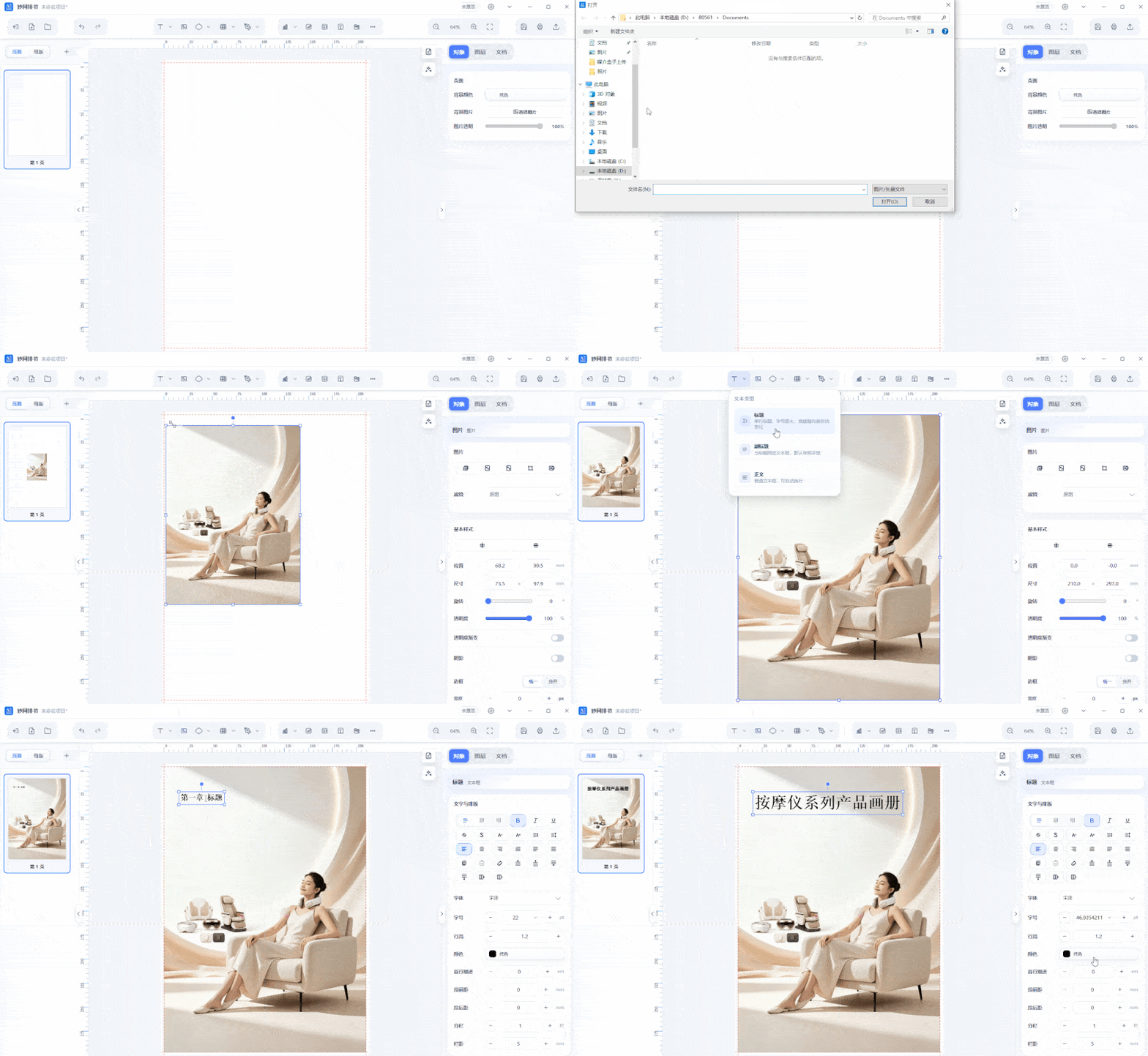
3. MW Book Layout
Tool type: Desktop software
Fine-tuned layout: Supports detailed page control and layout adjustments
Ideal for complex content: Better suited for text-heavy content and parameter tables
Batch publishing: Supports batch publishing with reusable fixed covers and master templates
AI-assisted: Layout design can leverage AI assistance
Pricing: Basic features are free; advanced features require a paid subscription
4. MW eBook Creator
Tool type: Desktop software
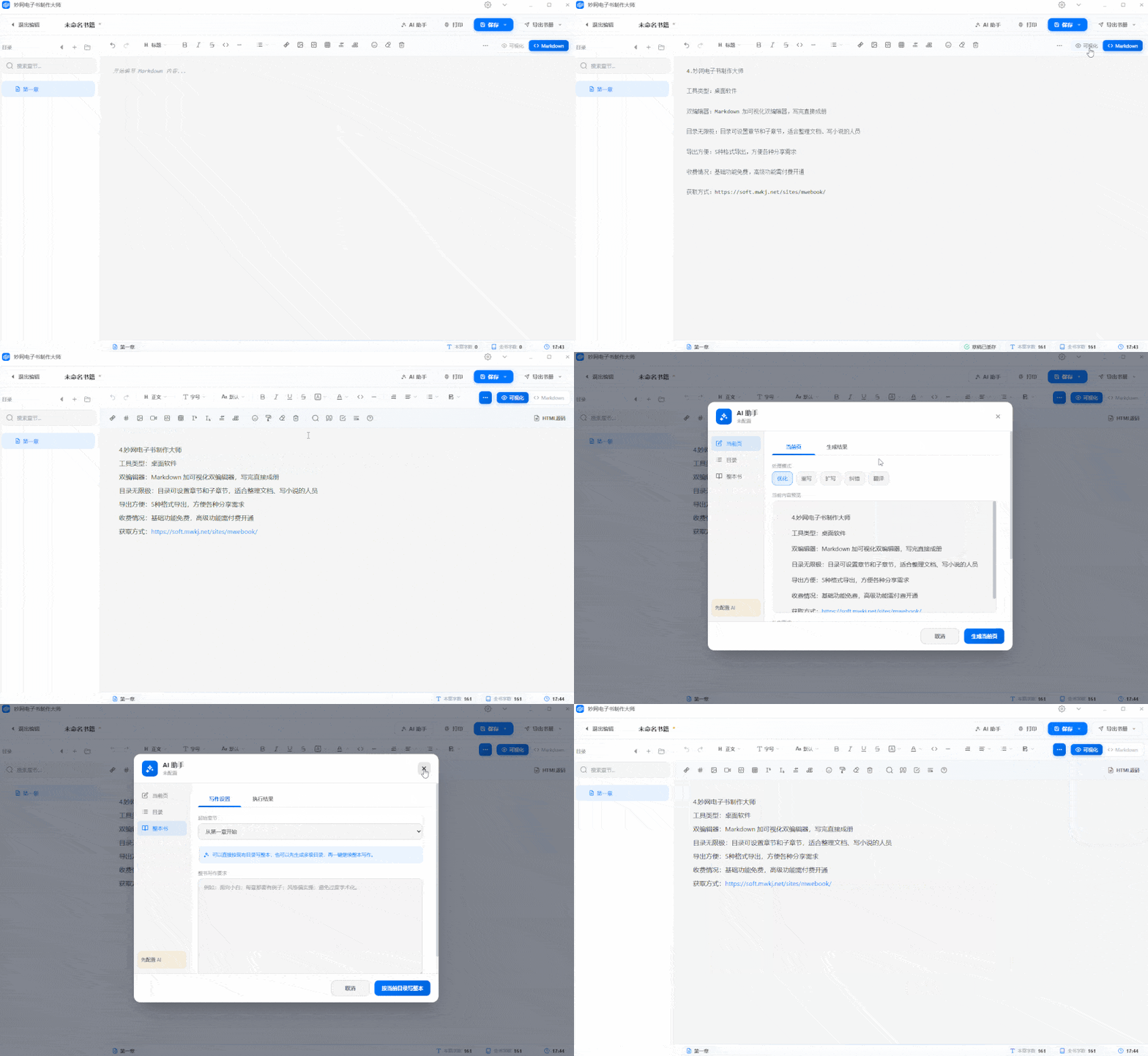
Dual editors: Markdown and visual editors, ready to publish
Unlimited TOC: Set chapters and subchapters, ideal for docs and novels
Easy export: 5 formats for various sharing needs
Pricing: Basic features free, advanced features require payment
How to get: Follow the MW software official account to get the tool