A roundup of practical ebook creation tools, focusing on ease of use and free features, ideal for beginners making page-flipping ebooks and corporate brochures—a tool collection list to help you choose as needed.
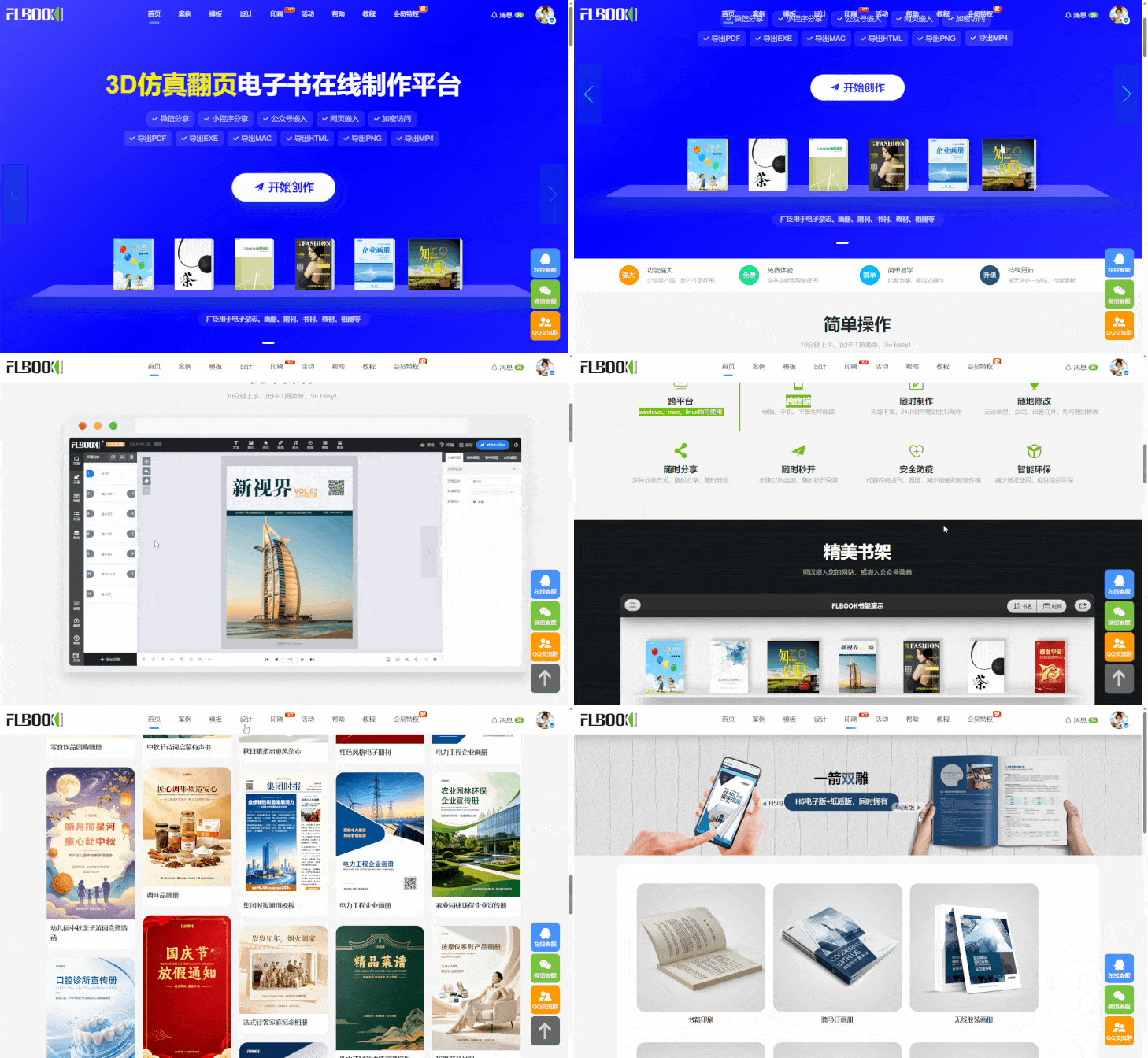
1. FLBOOK — Online Electronic Brochure Creation Platform
Ideal for users who "don't want to download software and want quick results." Upload an existing PDF, images, or PPT, and the system automatically generates an electronic brochure with a page-flipping effect.
-
Free to use: Basic features are free; just sign up to get started, no client installation required
-
Template application: Built-in ready-made layouts for corporate brochures, product catalogs and more—just replace images and text for instant results
-
Easy sharing: Generate links and QR codes with one click, viewable directly on phones and computers
-
Multi-device viewing:Auto-adapts to mobile, with smooth page turning in landscape and portrait
-
Rich export options:Supports web, exe, html, png, mac, pdf, mp4 and other file formats
-
Centralized sharing:You can also place albums on a virtual bookshelf and share multiple albums together, making it easier for clients to browse
-
Printing feature:Export as PDF and choose a print style in the printing section, giving you both formats
Ideal for corporate brochures, product catalogs, event commemorative books, e-magazines, portfolios, audio-reading books and other scenarios that require quick creation and distribution.
2. MW eBook Creator — Multi-format eBook editing tool
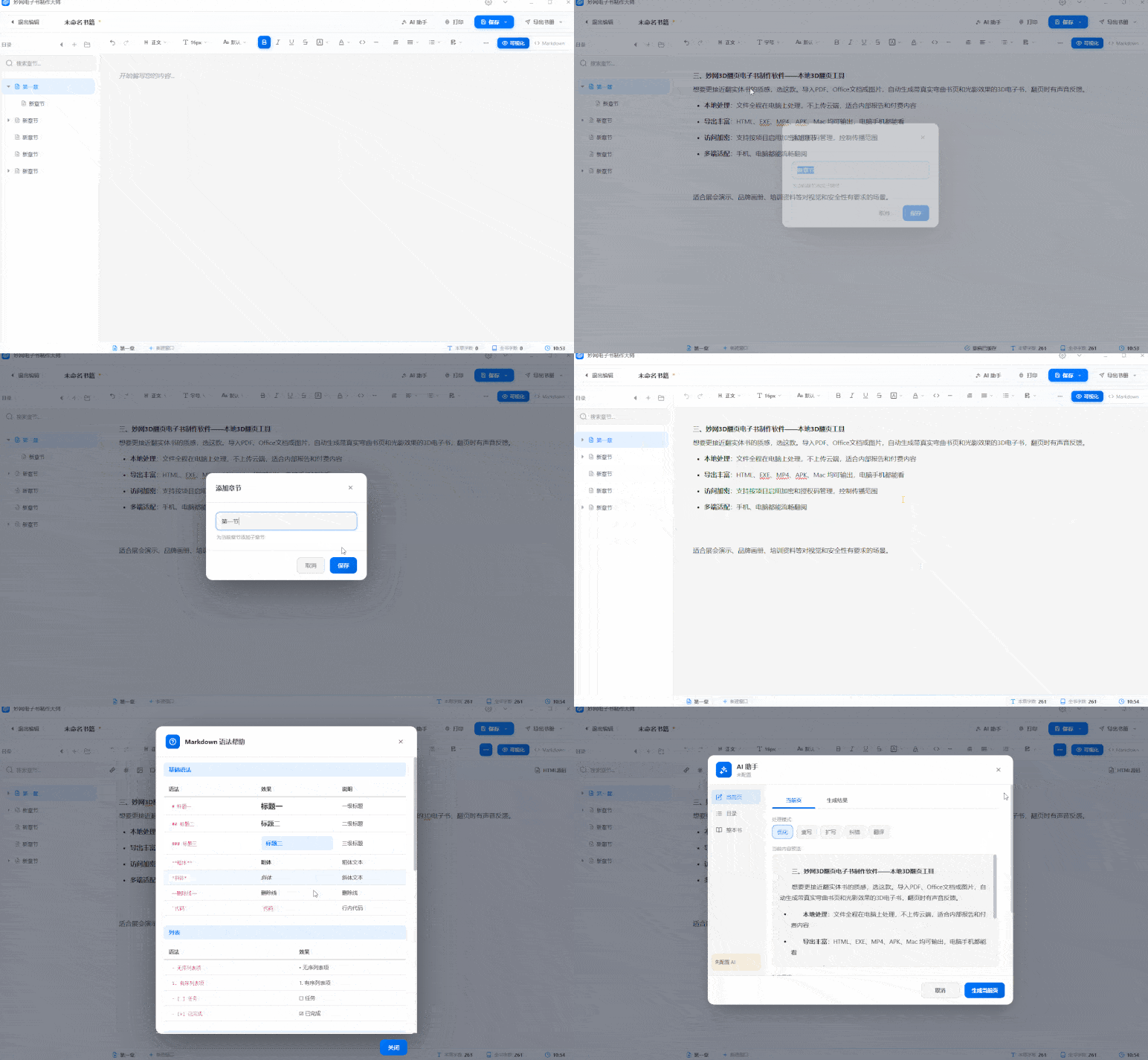
Ideal for users who write their own content, organize manuscripts, and export to multiple formats. Supports both a visual HTML editor and a Markdown editor, so beginners and Markdown users alike can use it.
-
7 export formats: PDF, EXE, HTML, EPUB, CHM, source files, and Markdown cover all major reading scenarios
-
Write and save as you go: Saves in real time; next time you open it, you return to where you left off—no worry about losing your work
-
Chapter management: Supports unlimited subdirectories, drag-and-drop sorting, making long content easier to organize
-
Visual mode:Change text color, background color, first-line indent, and paragraph format with a single click
-
Encryption protection:Add password encryption when exporting HTML / EXE
Ideal for writing novels, organizing notes, creating paid knowledge content, or internal training materials
Magic door:https://soft.mwkj.net/sites/mwebook/
III. MW3D flipbook creation software —— local 3D page-flipping tool
Choose this one if you want a feel closer to flipping through a physical book. Import PDF, Office documents, or images to automatically generate a 3D ebook with realistic curved pages and light-and-shadow effects, plus sound feedback when turning pages.
-
Local processing: Files are processed entirely on your computer, never uploaded to the cloud — ideal for internal reports and paid content
-
Rich export options: Output to HTML, EXE, MP4, APK, and Mac — viewable on both computers and phones
-
Encrypted access: Supports enabling encryption and activation code management per project to control distribution
-
Multi-device support: Smooth browsing on both phones and computers
Ideal for trade show presentations, brand brochures, training materials, and other scenarios with visual and security requirements.
Any door:https://soft.mwkj.net/sites/mw3dbook/