


How to quickly turn hundreds of photos into a sample album for the couple? Clients are pressing, manual layout is slow, samples are delayed, and final payments are slow to arrive.
How to speed up sample creation? Here are two tools that use templates to produce samples in 10 minutes.
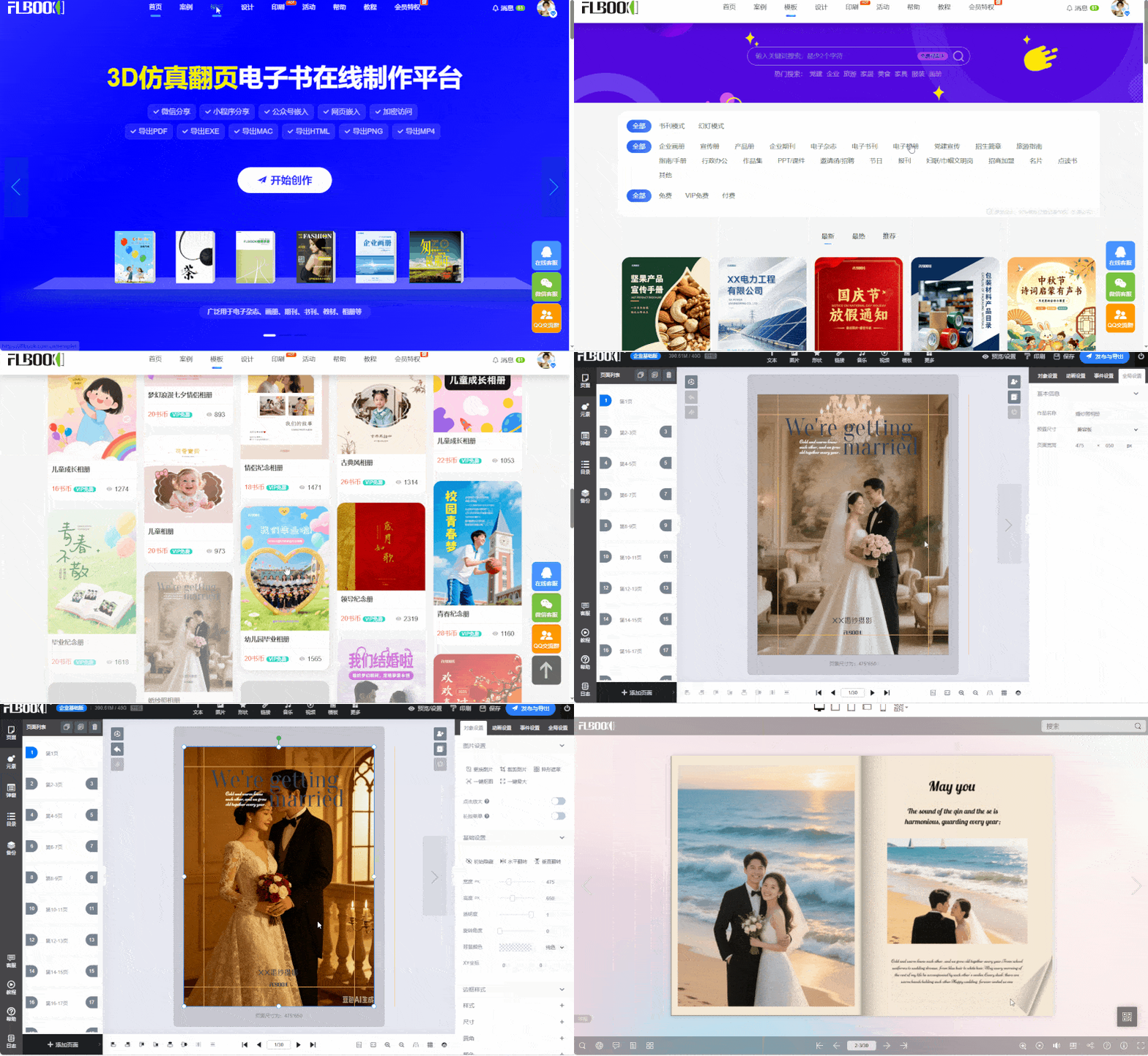
1. Use FLBOOK for digital samples, send to clients with one click
FLBOOK is an online digital album tool. Studio owners need no software; just open the official website in a browser and sign up.
Unlimited free templates: The template center has many wedding-style templates. Filter by "free" to use them directly.
Extremely simple: Replace images, edit text, drag-and-drop editing, no design skills needed
One-click sharing: Generate a link or QR code after creation, send directly to clients via WeChat, smooth browsing on mobile and PC
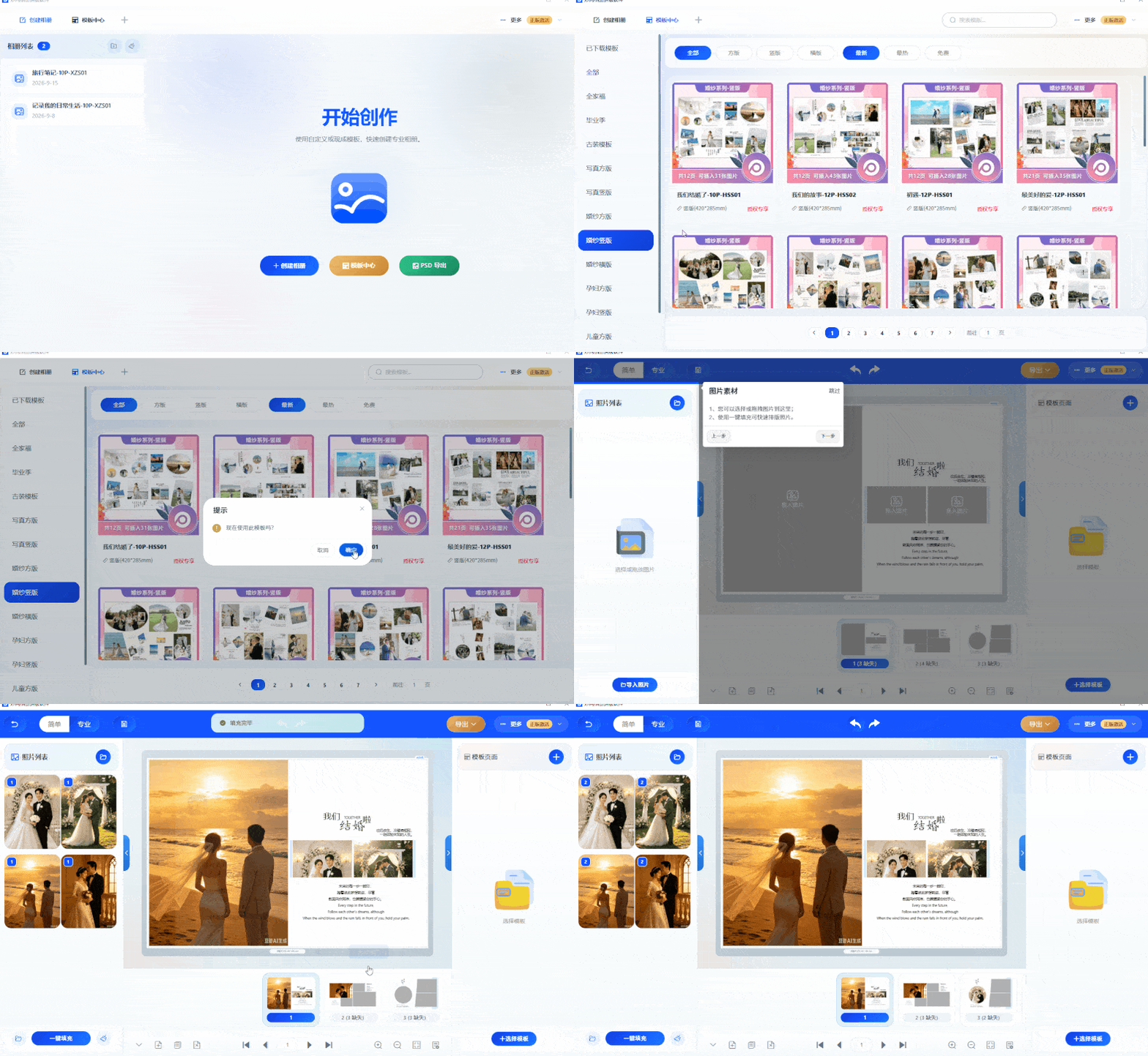
II.Use MW album layout software to batch create finished albums
Designed for photo studios, featuring classic album templates
Apply from a vast library of templates with one click: Use wedding and bridal style templates directly, batch import photos for automatic layout
One-click export to ultra-HD PDF/JPG: Export directly after layout, supporting both printing services and self-printing
Direct access: Follow the [MW] official account to get the tool