


Headers and footers can only be set when exporting to PDF.
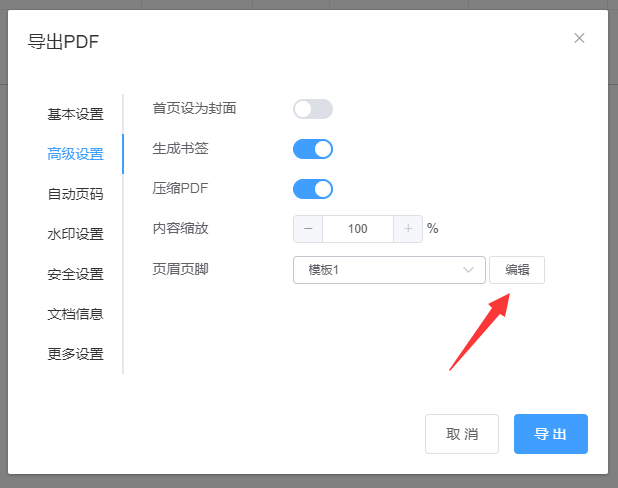
(1) Select Export PDF and click [Advanced Options] to view the header and footer settings:

(2) Select a template and export it to see the header and footer added to the PDF:

(3) Customize the header and footer. Click the [Edit] button to customize the header and footer styles:

Important note:
After enabling the header and footer feature, internal links added to the ebook will no longer work. Adding headers and footers makes the ebook suitable for printing or publication!