A watermarked image,background removalHow tedious is it?
When I removed backgrounds manually, it took me half a day to finish just two images, and that was after getting skilled at it.
Since AI Once AI tools emerged, it became clear that manual cutouts simply can't compare to AI.
It removes watermarks cleanly, delivers sharp, crisp cutout edges without blur, and supports lossless upscaling.MW AI Image Assistantstands out as one of the best.
Direct link:https://soft.mwkj.net/sites/mwaiimgtool/
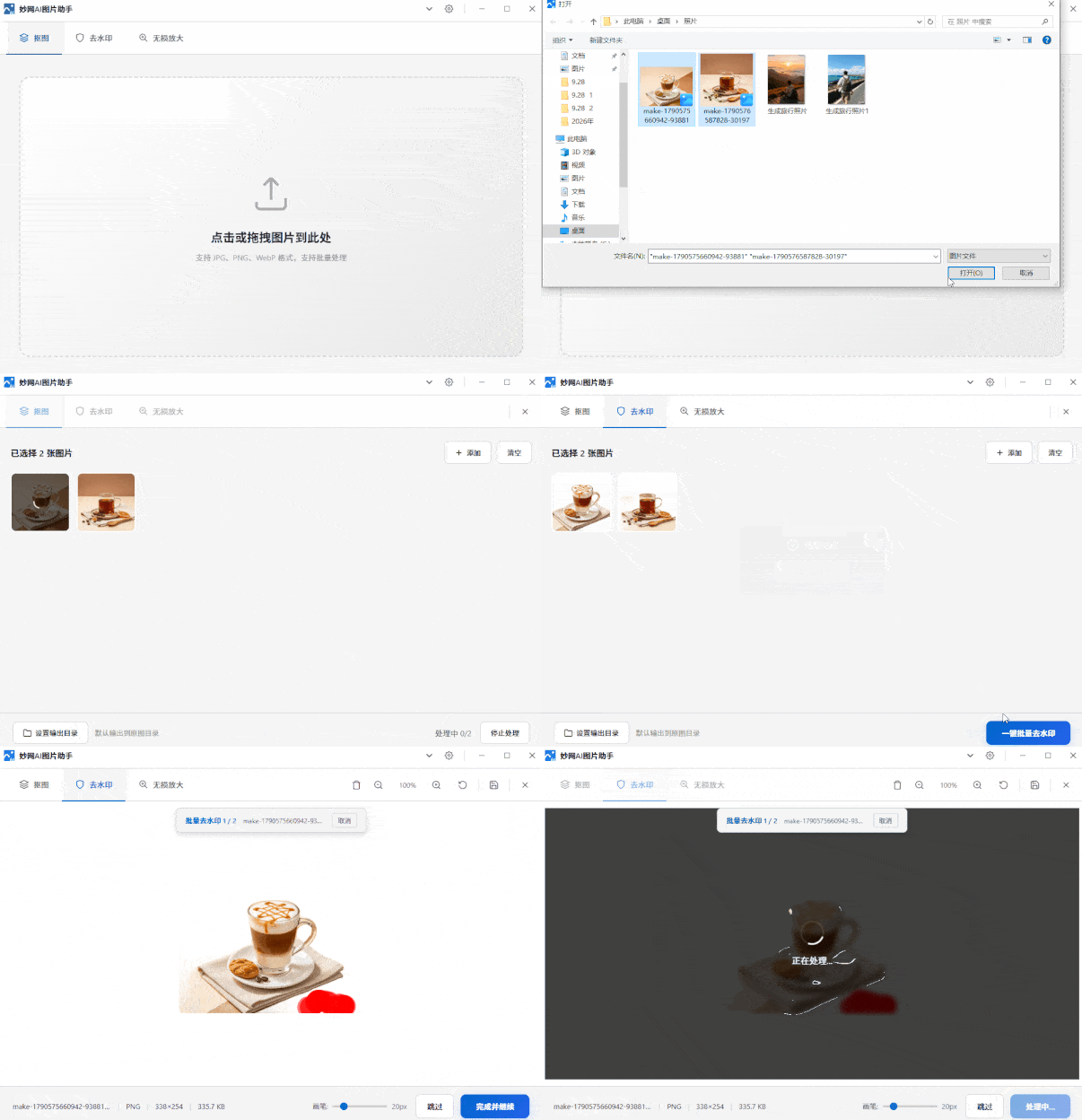
It isMW softwarea free desktop tool with a small installer and minimal footprint.
The interface color scheme is freely switchable — dark, light, or follow the system theme.
The software supports GPU acceleration, so image processing runs smoothly and background removal is as fast as it gets.
The workflow is very simple:
Upload image → one-click cutout → wait for processing → export and save.
The cutouts are virtually flawless, watermarks are removed without a trace, and most images are done in under 1 minute — that speed truly impressed me.
For graphic designers and ebook creators, this clean, precise cutout and watermark removal capability is incredibly useful.
At the end of the day, choosing a background removal or watermark removal tool comes down to fast processing, clean results, and no imperfections.

By the way, this site also offersquite a few free, practical tools, coveringcorporate brochures, e-books, textbook creation, PDF format conversion, flipbook generation and moreacross several professional software products.
The official website offers a great experience, and they've partnered with many large enterprises.
If you're interested, feel free to learn more.
>>>https://soft.mwkj.net/download